Chrome extension
TrailWrite types where you click
TrailWrite is a Chrome side panel that types your text into Google Docs, Slides, Sheets, code editors such as CodeHS, Monaco and CodeMirror, and any text field. You set the speed, typos, pauses and breaks. It also sets up MLA, analyzes your writing, and offers optional on-device AI notes. It is free during the private beta.
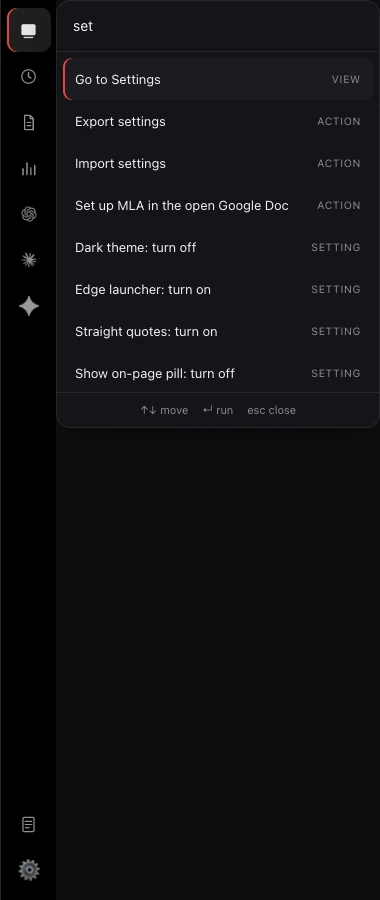
The real panel.
These are screenshots of the extension, not mockups. Scroll to turn through Type, Your pace, Analyze, Docs, History, the Works on switches and the command palette, or drag to turn one.
Paste it in.
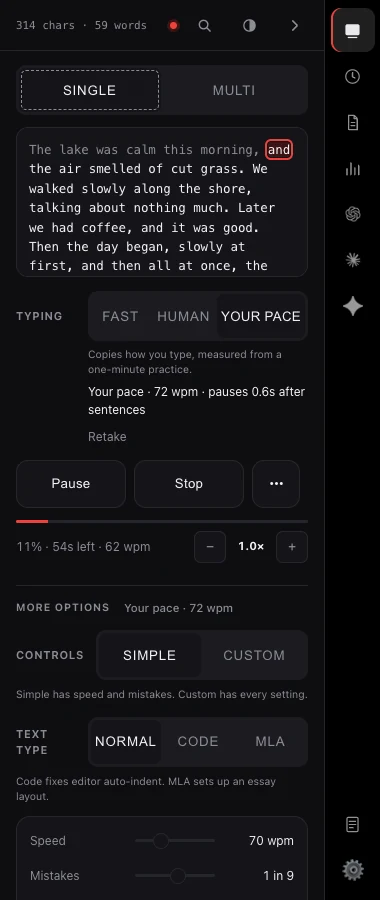
Drop a draft into the panel. One block, or several queued to run in order.
Click where it goes.
Put the cursor in a Google Doc, a form or a code editor. Press Start. The text lands at the caret.
Typed at your pace.
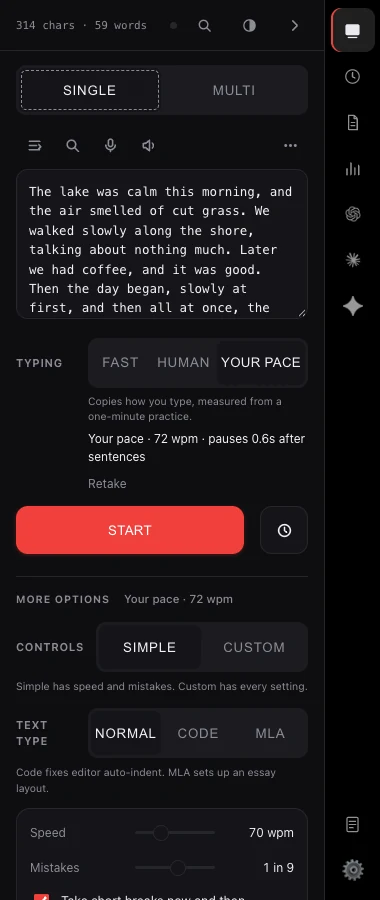
Pick Fast, Human or Your pace, a mode measured from how you type. It slips on a key and fixes it, stops to think, takes a break. The red box follows your source text in the panel.
Google Docs. MLA built in.
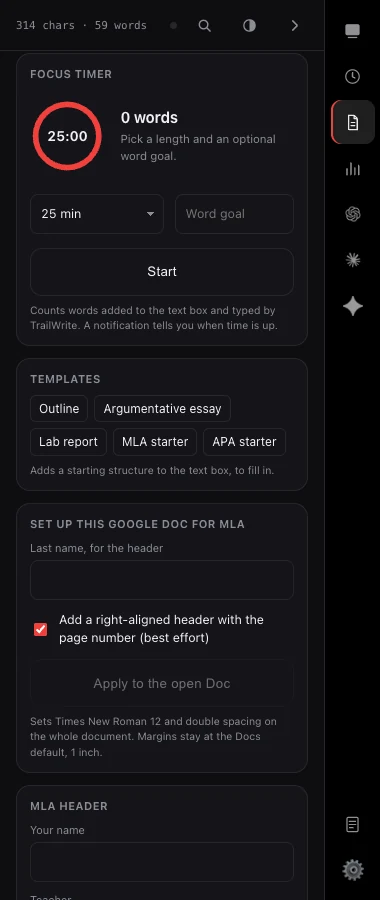
Header, centred title, first-line indents and double spacing, set for you as it types.
Code mode.
Made for CodeHS, CodeMirror and Monaco. Auto-indent and brackets land exactly as written.
Dial it in.
Pick a speed or a finish time. Shape the variance curve. Set pauses, typo rate and breaks. Drag anything.
New: AI features.
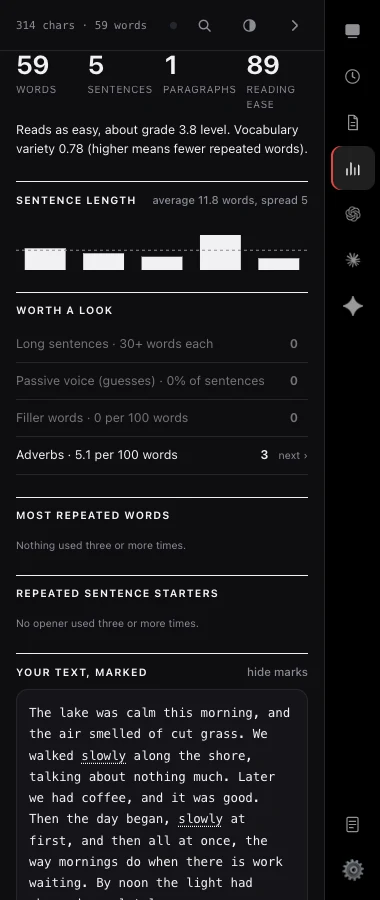
NewAn Analyze report on your draft, a writing profile that builds over time, and optional AI notes from Chrome's on-device AI. Nothing leaves your computer.
Works where you write.
Google Docs, Slides and Sheets. Code editors including CodeHS, Monaco and CodeMirror. And any text field. Each one has its own on and off switch, so TrailWrite only acts where you allow it.
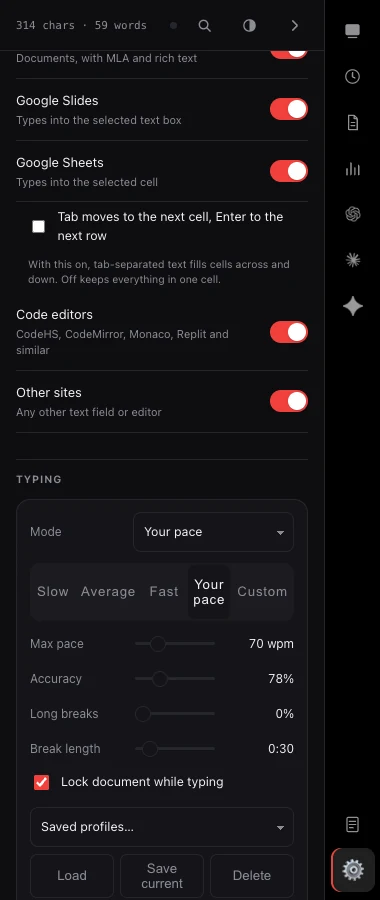
- Google Docs
- Google Slides
- Google Sheets
- CodeHS
- Monaco
- CodeMirror
- Any text field
Everything else
One-click MLA setup
Times New Roman 12, double spacing and a page-number header in Google Docs. Plus an MLA header builder, a citation formatter for MLA, APA and Chicago, and a word count with a time estimate.
Per-site profiles
Docs gets your essay settings and CodeHS gets code mode, switched automatically.
Command palette
Press ⌘K to run any action.
Templates
Start from an outline, a lab report or an MLA starter.
Scheduled start
Set a time such as 7:30 and it starts by itself.
Focus timer and word goal
Set both and watch them run down as you type.
Text tools
Clean up pasted text, find and replace, dictation and read aloud.
Multi-block queue
Line up several blocks and run them in order.
Verify after typing
Reads the field back when a run ends, flags any difference and retypes it.
History and export
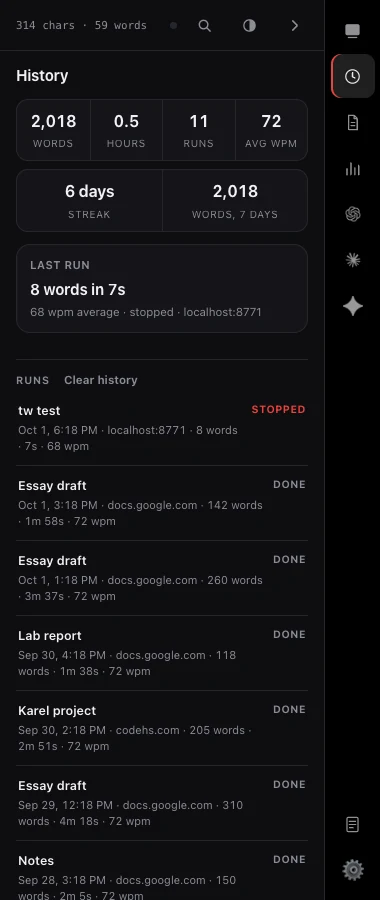
Every run with words, time and where it went. Export it as CSV.
Daily streak and weekly words
A streak for days you wrote and a running total of words typed this week.
Keyboard shortcuts
Start ⌘⇧U, pause ⌥⇧P, stop ⌥⇧X, and you can change them.
Edge launcher
A small tab on the edge of any page opens TrailWrite.
Sign in to sync
Sign in with Google and your settings, snippets and prompts follow you to any device.
Learns your writing.
NewType a practice paragraph and TrailWrite measures your own rhythm: speed, pauses, bursts and error rate. No text is stored. Then pick YOUR PACE next to Fast and Human, and every keystroke, pause and fix follows your own timing. Writing feedback on your drafts is next. Local first, and off until you opt in.
- Speed
- 58 wpm, steady
- Pauses
- After commas and full stops
- Bursts
- Short, then a long beat
- Error rate
- 1 in 24 keys
¶Next: writing feedback. Four of six sentences open with "The", and it will say so.
Add it to Chrome.
Install the extension and open the side panel on any page. No account needed to start.
Add to ChromeFree during beta. Works in Chrome.